
Billing & Top-up
This site prices in CNY (RMB) and charges by actual token usage; once topped up, you can start calling. This page explains where to top up, where to check balance and usage, and how costs are calculated.
Top-Up Entry
Top-ups are handled by the official top-up platform (stc-token-pay), which supports Alipay payments with a ¥10 minimum.
Top-up platform URL: https://api-model.shuntianchuang.cn/stc-token-pay/
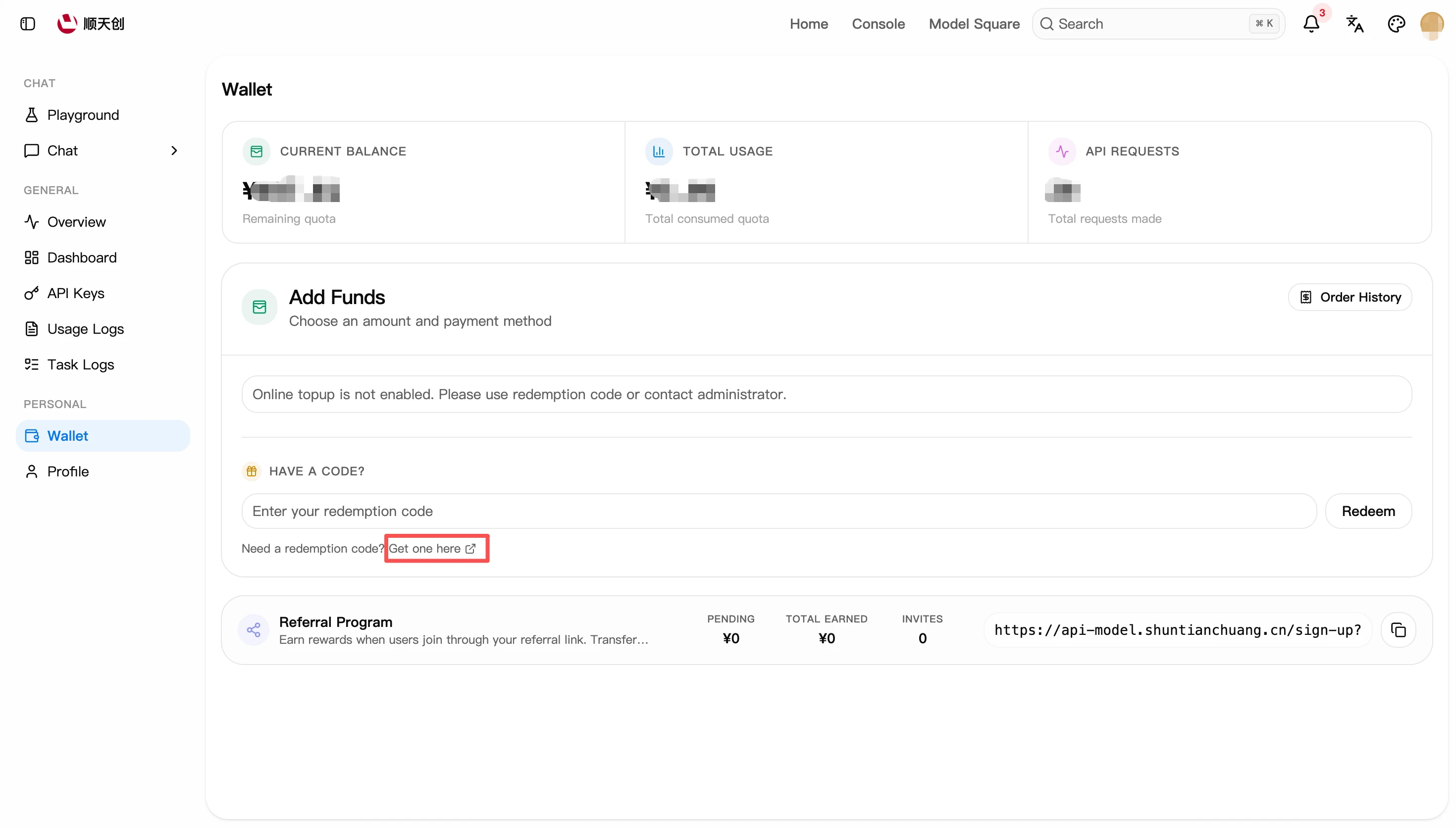
You can also get there from the console: Console → Wallet → "Need a redemption code? Get one here", which redirects to the same platform.
The platform offers two methods:
Step 1: Choose the Amount
Open the top-up platform; the home page offers three preset amounts and a custom amount:
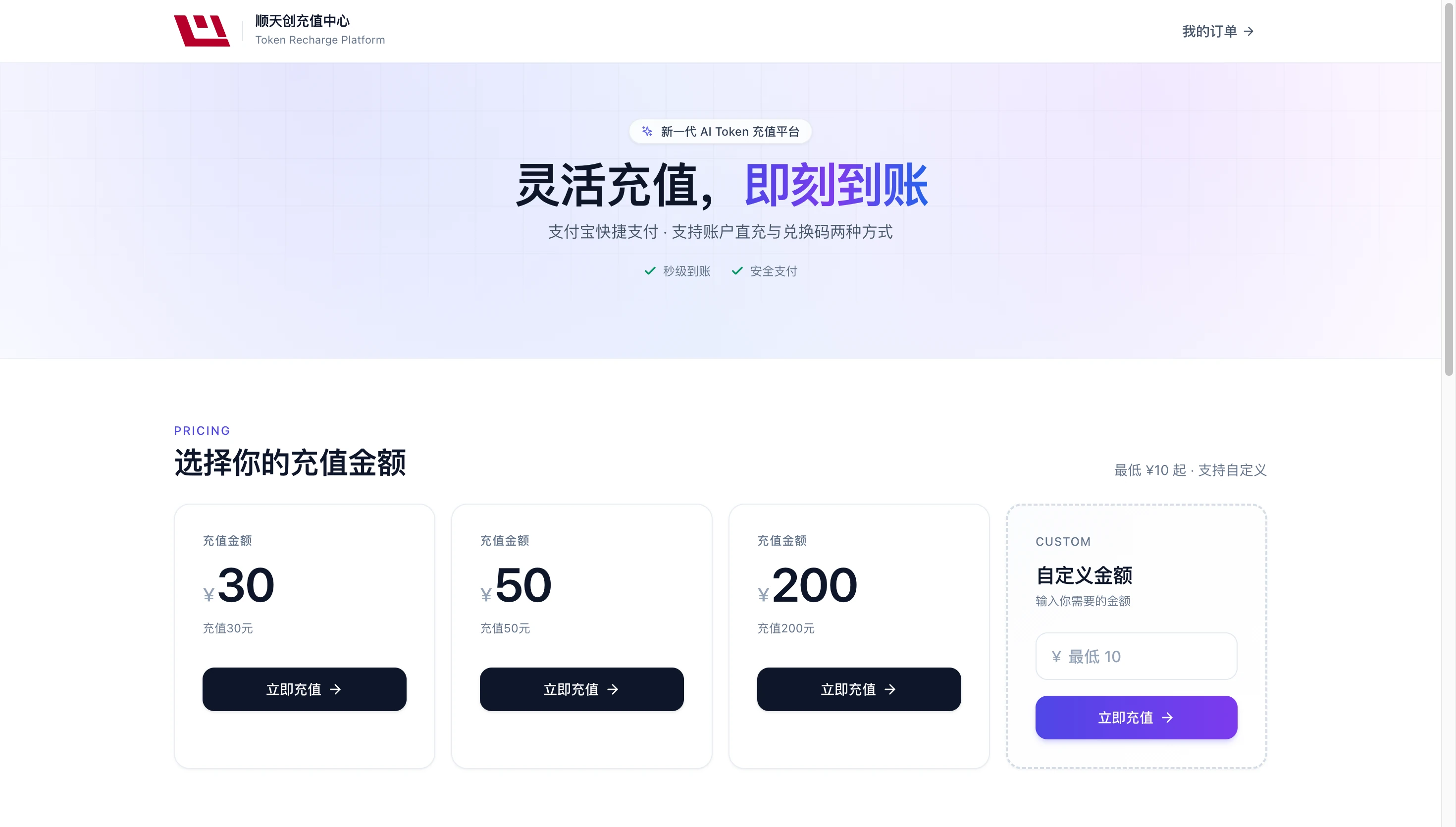
- Preset amounts: ¥30 / ¥50 / ¥200 — click "Top Up Now" under the corresponding card to go to the checkout page.
- Custom amount: enter any amount in the "Custom Amount" card at the bottom right (¥10 minimum) and click "Top Up Now".
"My Orders" at the top right of the page lets you look up past top-up records; identity is verified via an email code.
Step 2: Choose a Method and Fill In the Details
On the checkout page, the left side confirms the amount, and the right side is where you pick a method and fill in the details.
Direct top-up:
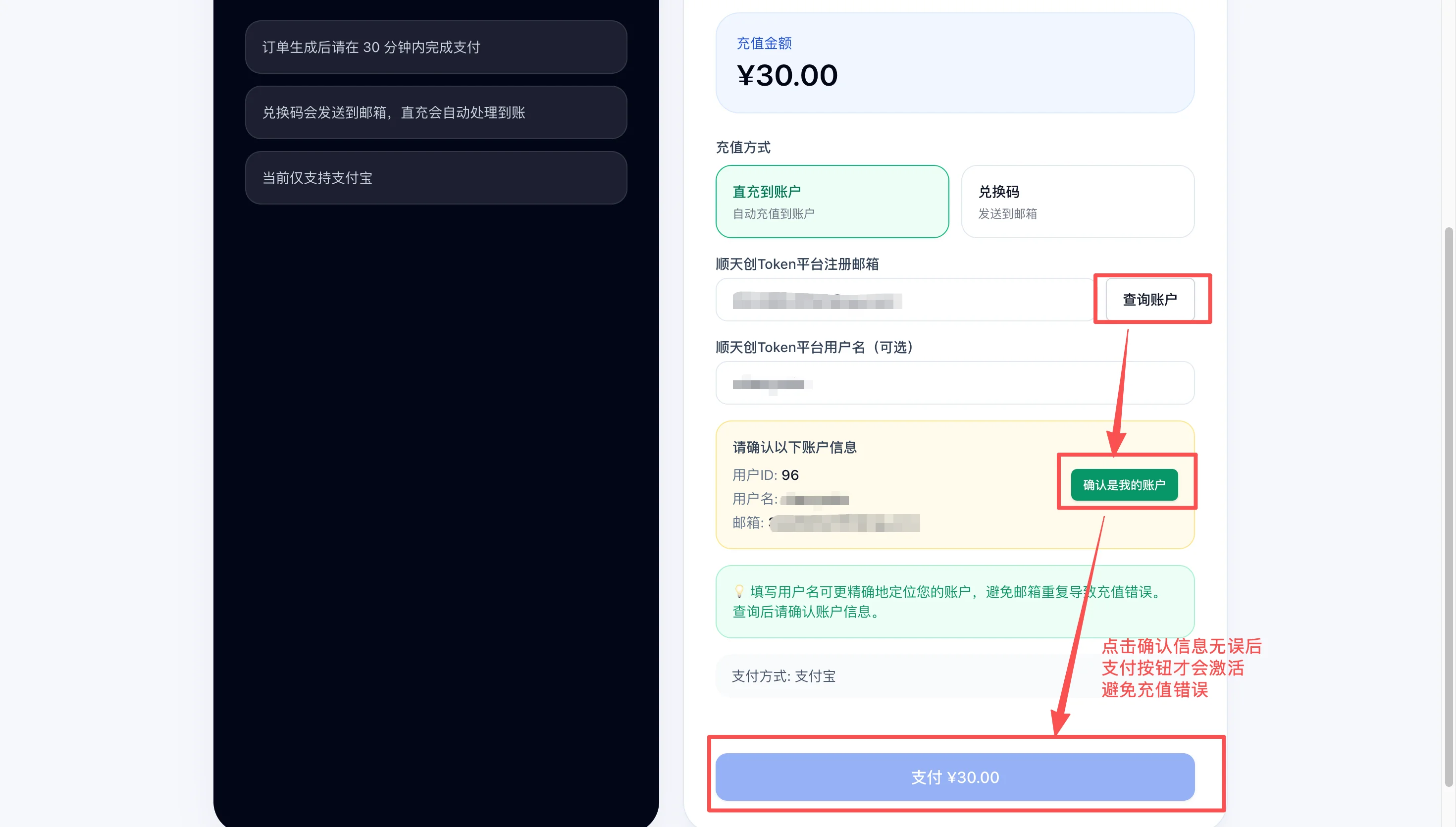
- Select "Direct to account" as the method (selected by default).
- In the "Registration email" field, enter the registration email of your platform account (it must match your sign-in account, or the credit won't arrive).
- Click "Look up account" — the system verifies the account for that email; the pay button only activates after verification passes.
- (Optional) Enter your platform username in the "Username" field to pin down the account more precisely and avoid mistakes from duplicate emails.
- Once everything checks out, click "Pay ¥XX.00" to be redirected to Alipay and complete the payment.
Redemption code:
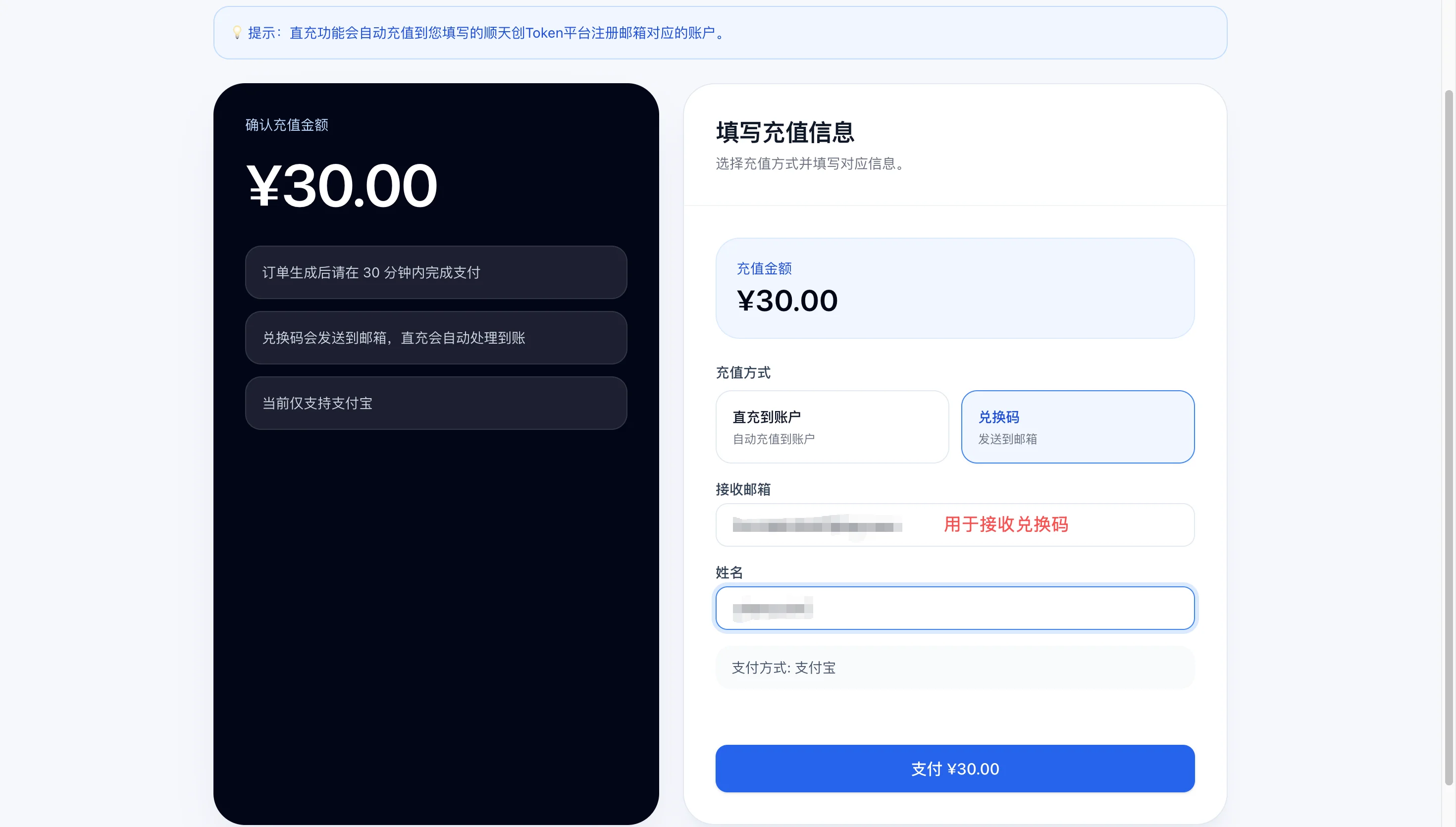
- Switch the method to "Redemption code".
- In the "Receiving email" field, enter the email address that should receive the code.
- Enter a name in the "Name" field (used for the order record only).
- Click "Pay ¥XX.00" to be redirected to Alipay and complete the payment.
- After payment succeeds, the code is sent automatically to the email you provided (valid for one year).
Step 3: Payment and Crediting
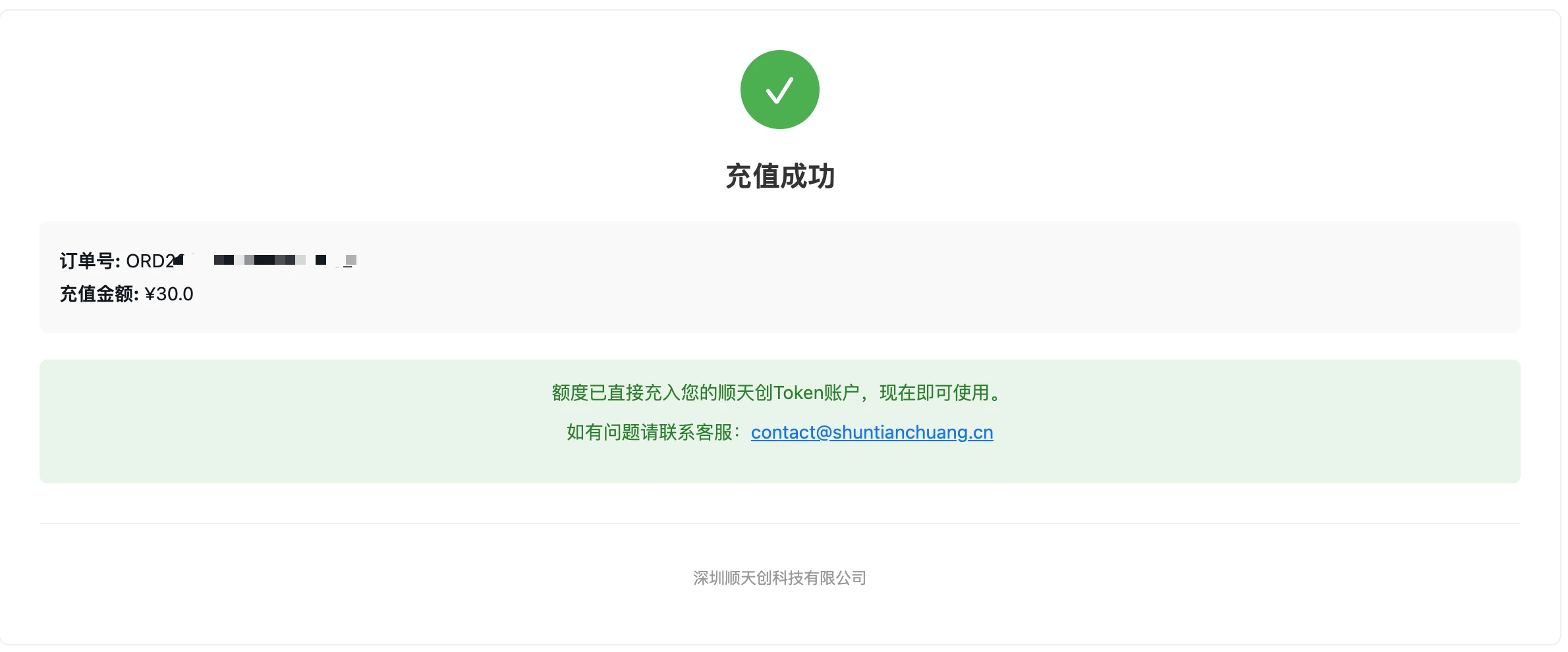
After paying with the Alipay QR code, the page redirects back to the top-up platform showing payment success.
- Direct top-up: the credit arrives automatically within seconds — no extra steps needed; you can go straight back to the console and call the API.
- Redemption code: after payment the code is shown in the payment-success window and emailed to the designated address as a backup; redeem it manually on the console's Wallet page.
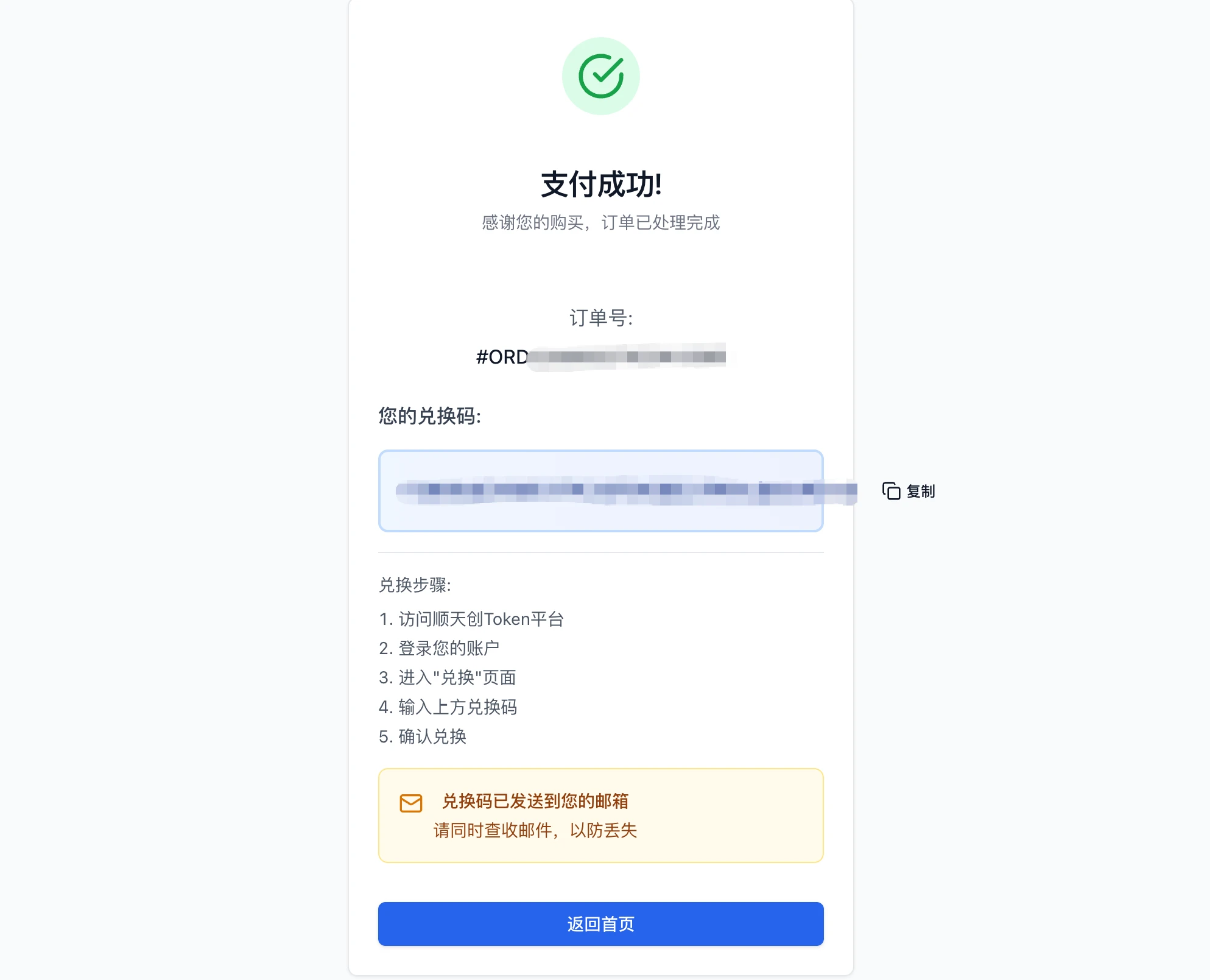
To redeem a code manually:
- Return to the console's "Wallet" page (https://api-model.shuntianchuang.cn/wallet).
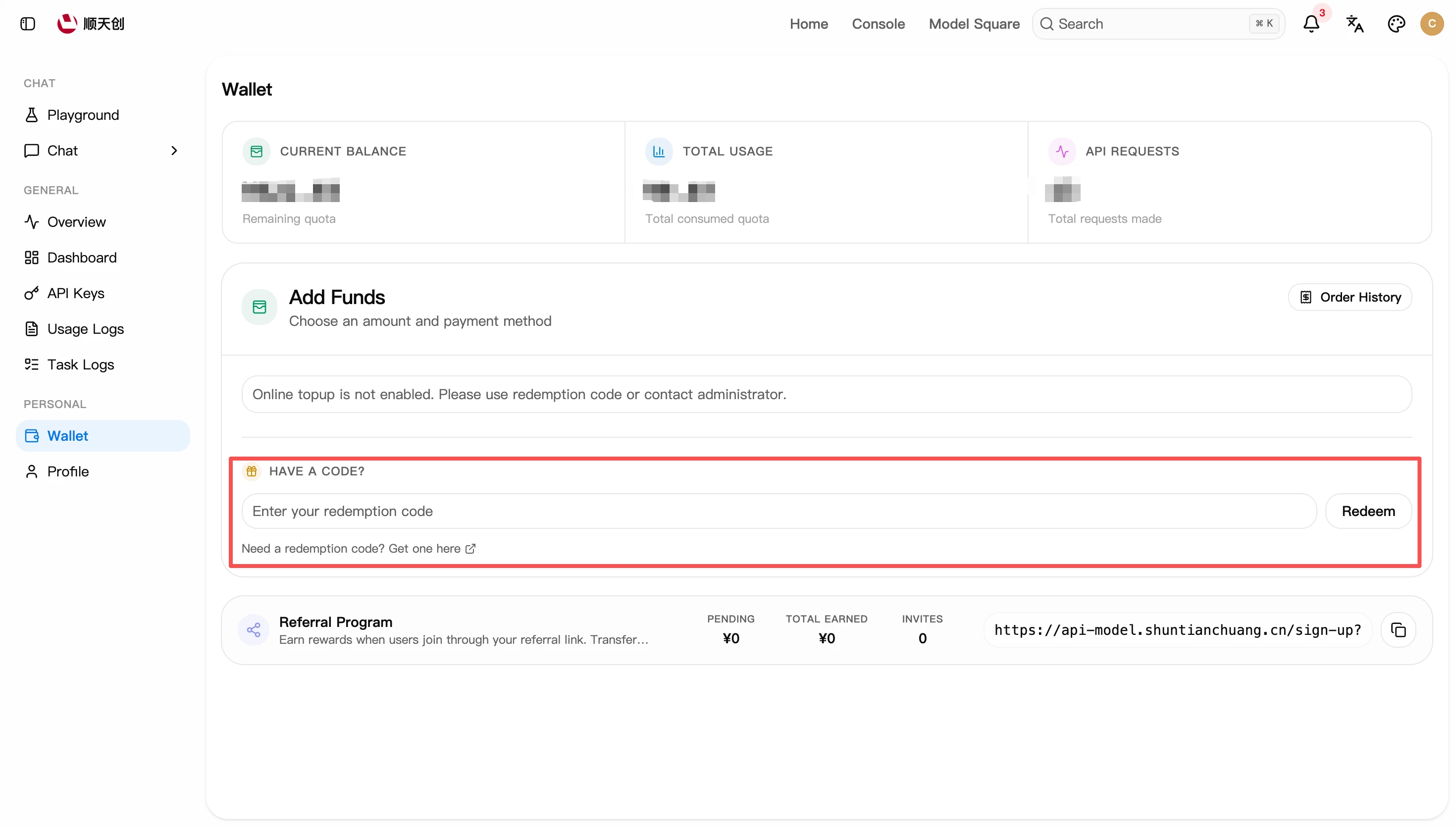
- Enter the code from the email in the "Have a redemption code?" field.
- Click "Redeem" — the corresponding amount is added to your balance immediately.
Looking Up Order Records
The top-up platform's "My Orders" page lists all past orders — status, amount, method, and more.
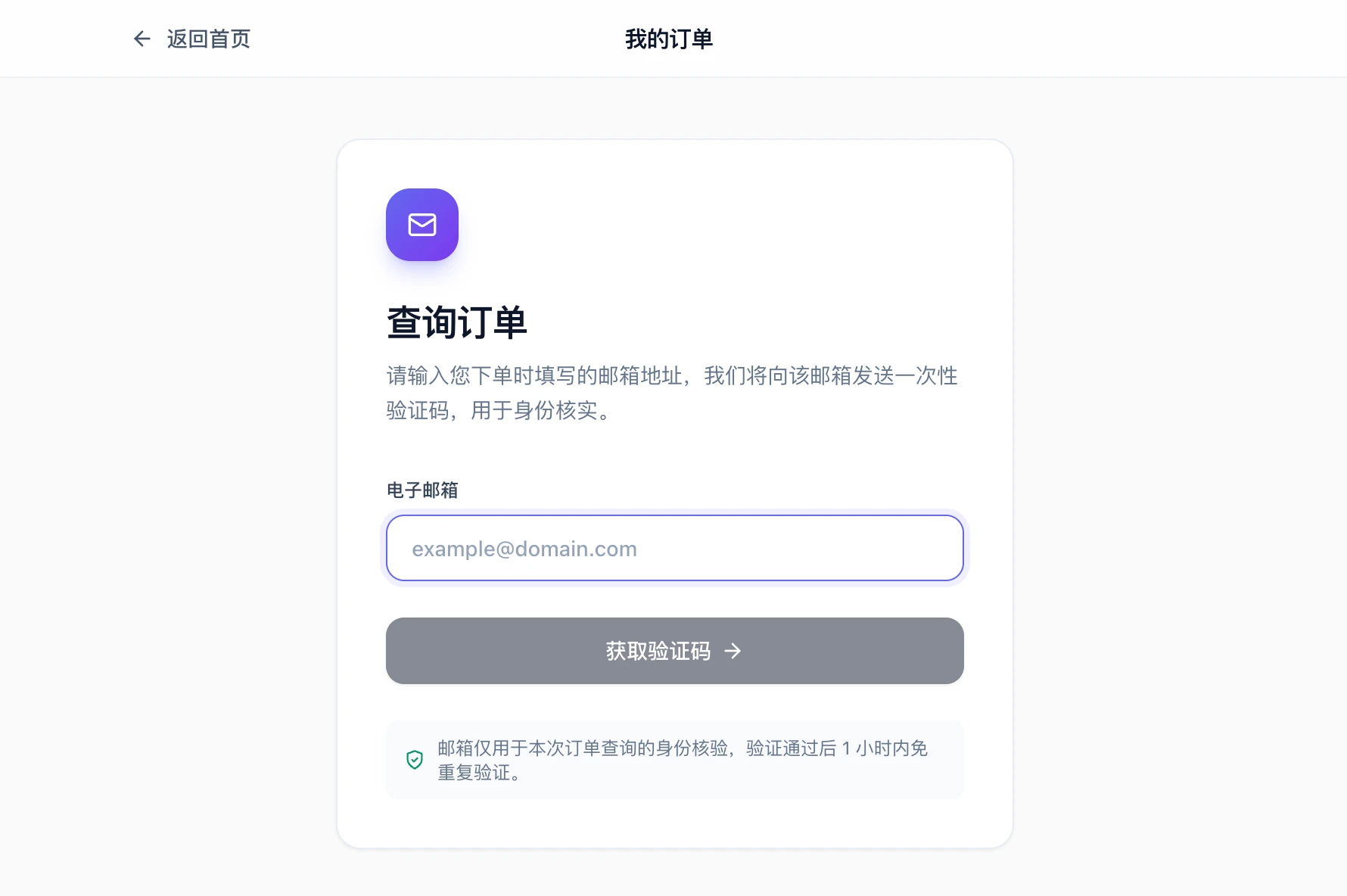
- Click "My Orders" at the top right of the top-up platform's home page.
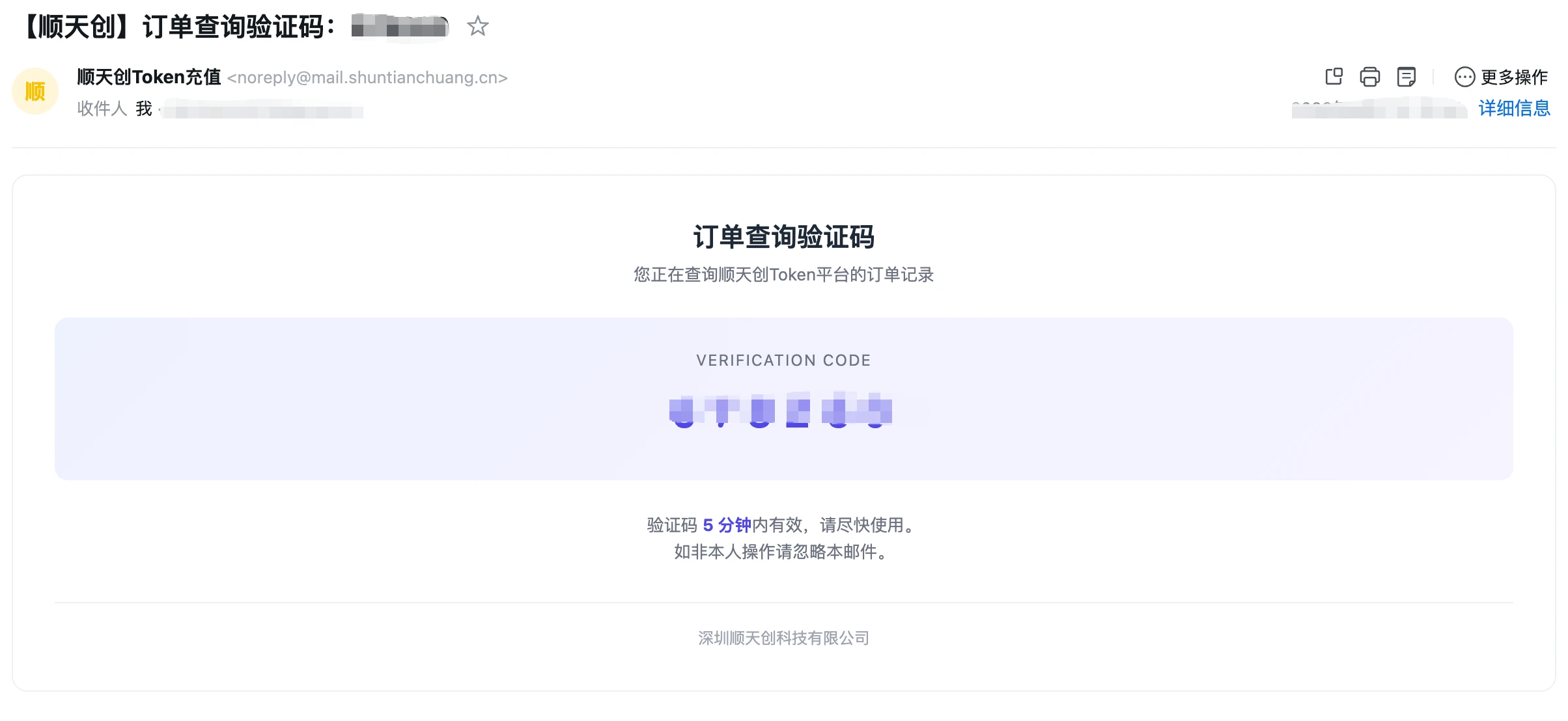
- Enter the email address used when placing the order and click "Get code".
- Check your email for the one-time code and enter it; once verified, the order list is shown (no re-verification for 1 hour).
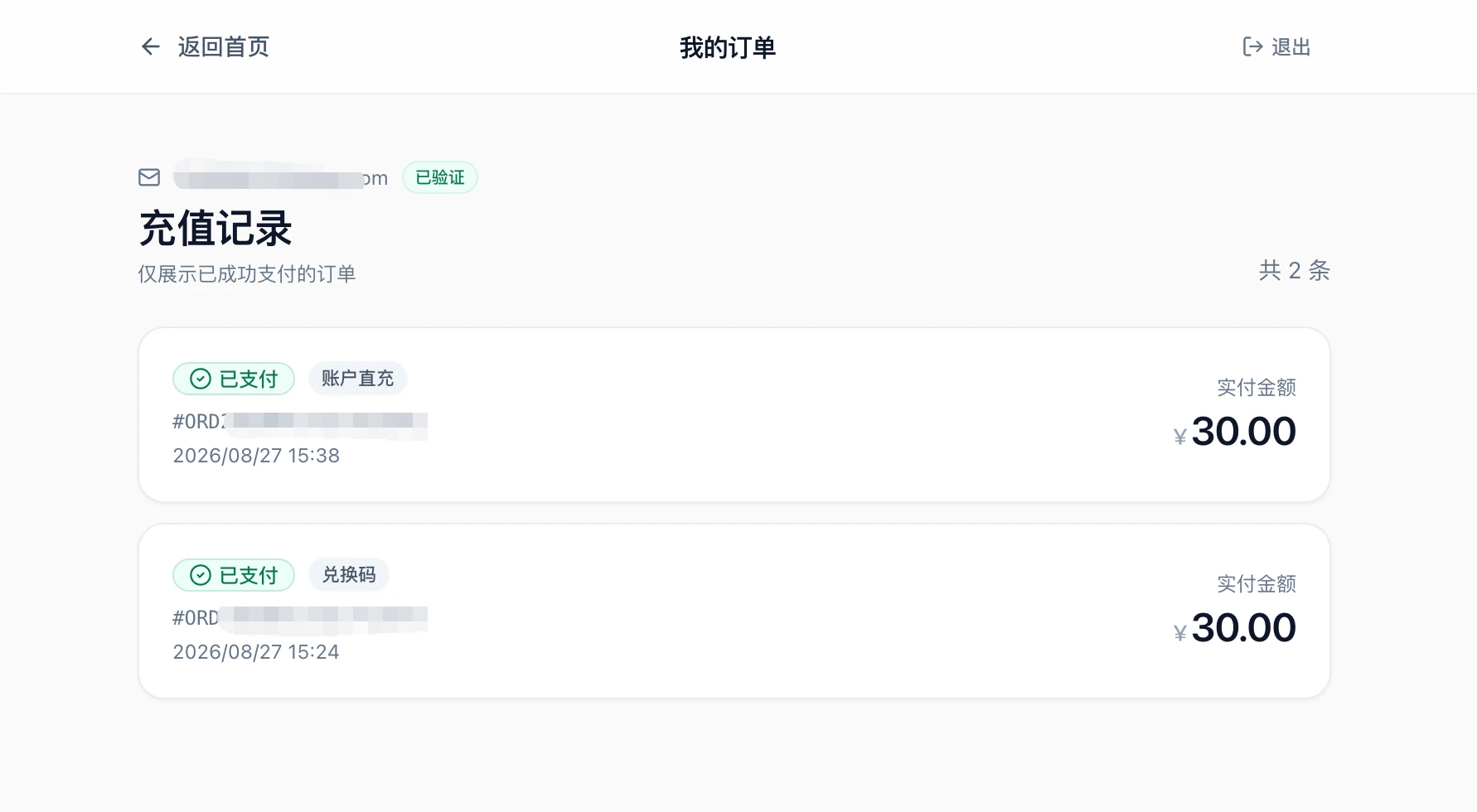 "Order History" on the console's Wallet page also shows top-up and spending records.
The "Online Top-up" option on the site's Wallet page is currently disabled — please pay via the top-up platform above. For large top-ups, corporate bank transfers, or invoices, contact us directly (see "Top-Up Troubles" at the end of this page).
Checking Balance and Usage
The Wallet page (console → Personal → Wallet, https://api-model.shuntianchuang.cn/wallet) shows:
- Current balance (remaining quota)
- Total usage (total quota spent)
- Total API requests
The Usage Logs page (console → General → Usage Logs, https://api-model.shuntianchuang.cn/usage-logs/common) records the details of every call:
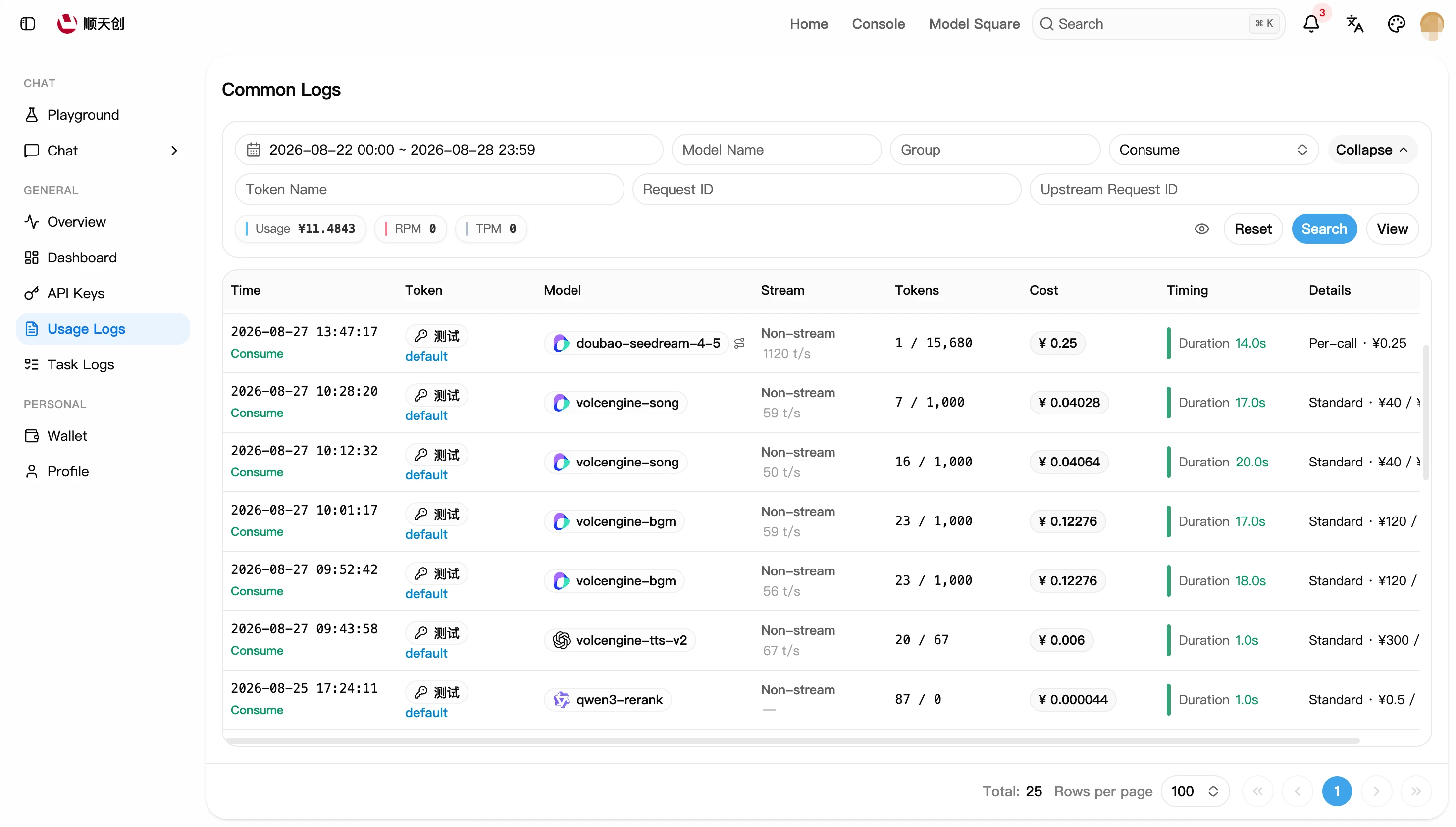
- Pick a time range at the top (today by default); filter by model name, group, type, or token.
- The summary bar shows spend, RPM (requests per minute), and TPM (tokens per minute) for the selected period in real time.
- The detail table lists each call: time, token, model, streaming or not, token count, cost, latency; click "Details" to see the details of a single request.
The exact charged amount is what the Usage Logs page shows. Numbers on the Overview and Wallet pages are aggregate statistics — if they differ slightly from the logs, trust the log details.
Billing Rules and Quota Conversion
Quota Conversion
Internally the site measures in "quota", with a fixed conversion:
That is, a ¥10 top-up = 5,000,000 quota. Amounts everywhere in the console are converted from quota for display — you never need to compute quota by hand; just know this relationship to read the raw numbers in exported data.
Billing Methods
Per-model prices are in Models (kept in sync with the console's Model Plaza in real time). For dynamic-billing models, the input-length ranges and unit price of each tier are shown in the model details on Model Plaza; actual charges are subject to the usage log details.
Worked Example
Take deepseek-v4-flash (default group, pay-as-you-go): ¥1 / million input tokens, ¥2 / million output tokens.
Suppose one conversation consumes 2,000 input tokens + 1,000 output tokens:
In other words, a ¥10 balance covers roughly 2,500 requests of this size.
Two tricks to control input cost: trim the context promptly — longer chat history means more input tokens; for models with cache pricing, repeated identical prefixes are billed at the cache price (about 1/5 to 1/10 of the input price).
Token Quota vs. Account Balance
- The account balance is the total available credit, shared by all API Keys
- When creating an API Key you can set that Key's own cap (unlimited by default; see API Key Management)
- "Balance is sufficient but it says quota insufficient" usually means the token's own quota is used up or expired — check that token's quota and expiry on the API Keys page
Top-Up Troubles
Contact:
- Email: contact@shuntianchuang.cn
- Phone: +86 130 2661 3883
- WeChat:
shuntianchuang_