
API Key Management
An API Key (token) is the only credential for calling this site's API; it starts with sk-. Every request authenticates by carrying the token in the HTTP header Authorization: Bearer sk-xxxx.
Management entry: console → "General" → "API Keys", or go directly to https://api-model.shuntianchuang.cn/keys.
What Is an API Key (Token)
- One account can create multiple API Keys, each with its own quota, expiry, and allowed models
- Each Key is metered separately, making it easy to distinguish projects, environments (dev / prod), or team members
- A Key can be disabled, re-enabled, or deleted at any time without affecting the account itself
Creation Steps
-
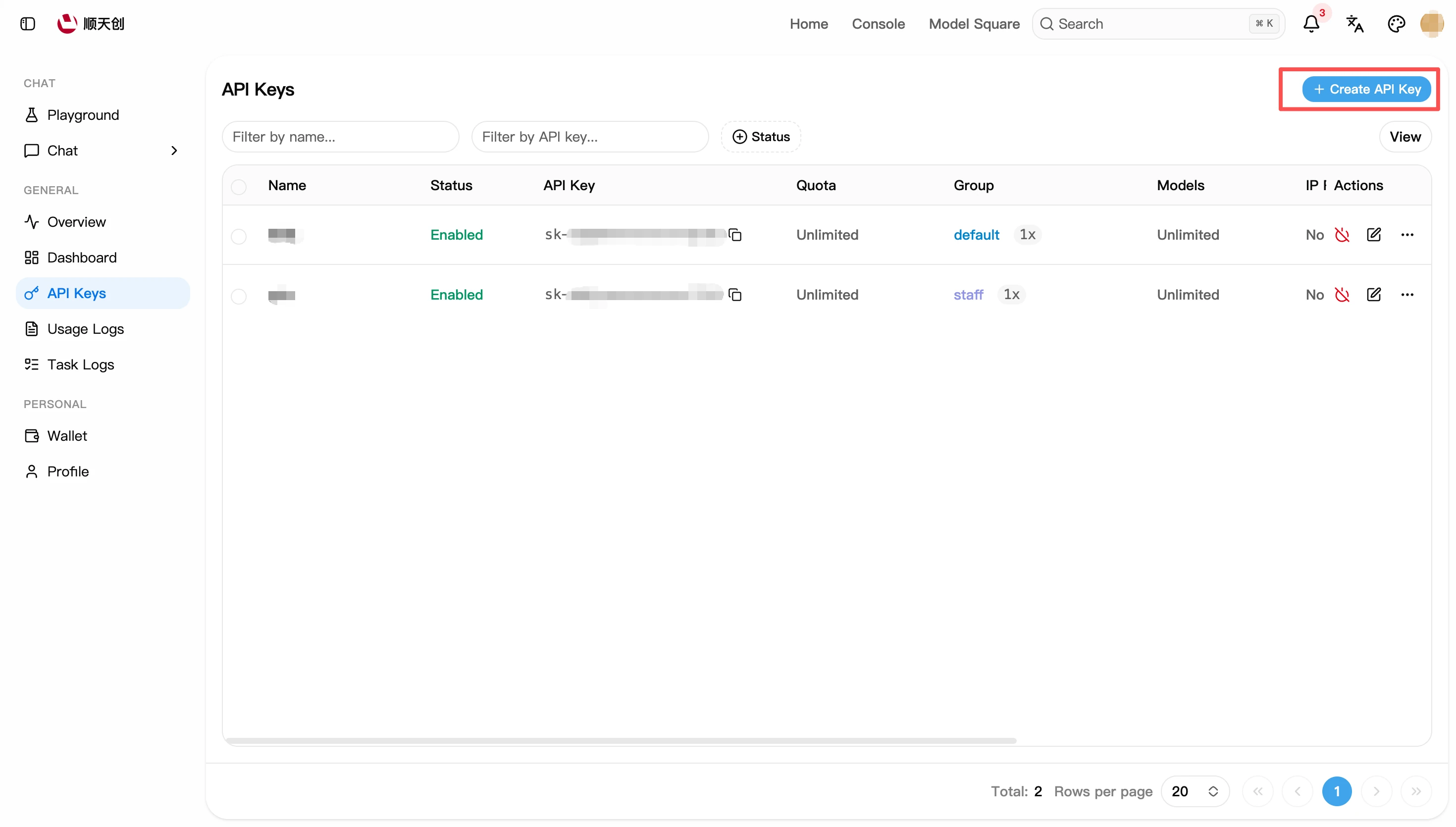
Open the "API Keys" page and click the "Create API Key" button at the top-right.
-
In the dialog, under "Basic Info", fill in:
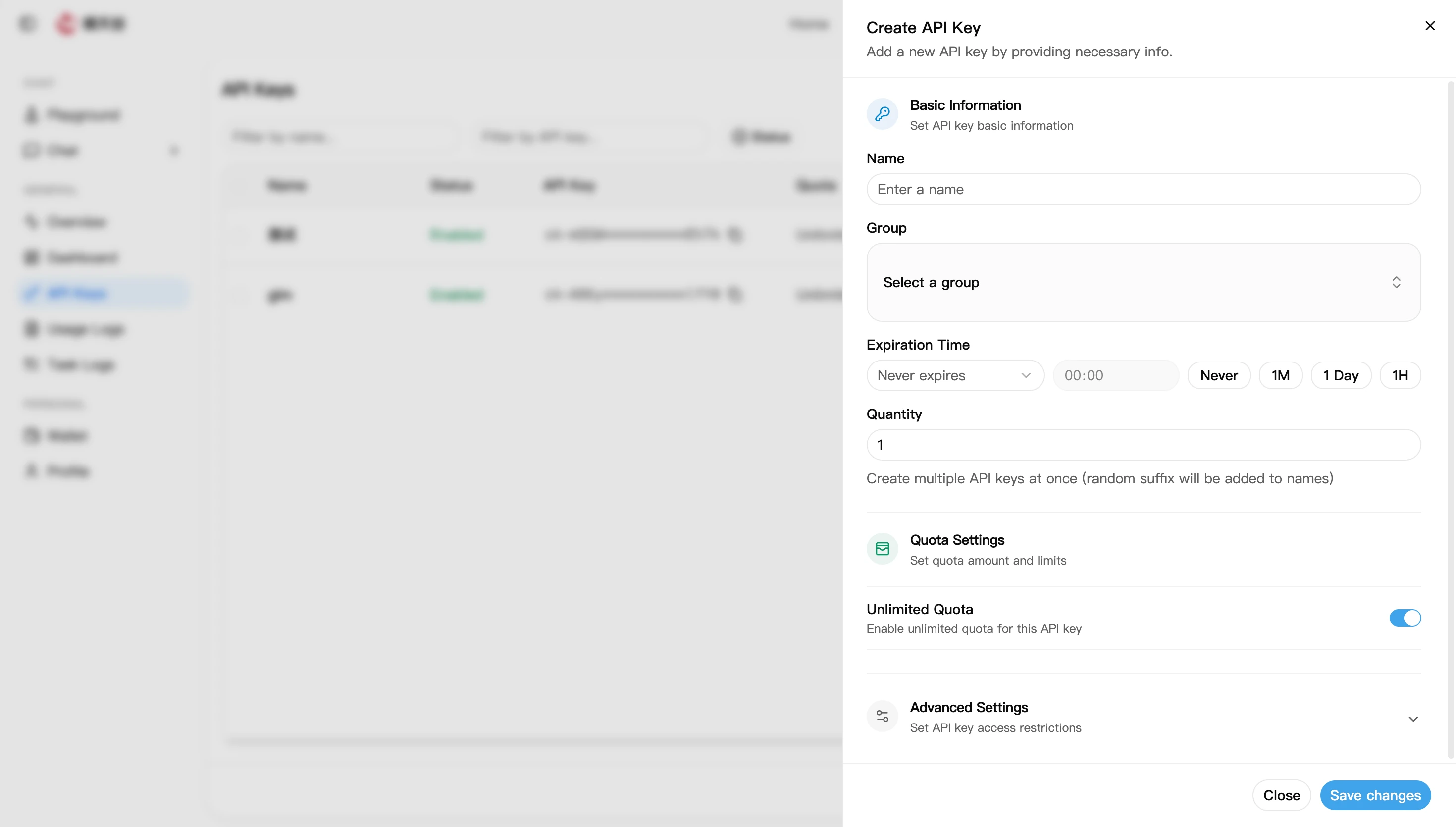
- Name: required, to identify its purpose, e.g.
my-project-dev - Group: the token's group (different groups may have different model multipliers; usually pick
default) - Expiry: defaults to "Never expires"; you can also pick a shortcut (1 hour / 1 day / 1 month) or a custom time
- Quantity: batch-create multiple keys at once (random suffixes are appended to names); defaults to 1
- Name: required, to identify its purpose, e.g.
-
Under "Quota Settings", decide the token's available quota:
- The "Unlimited quota" switch is on by default, meaning the token's cap equals the account balance
- Turn it off to set a fixed quota — useful for limiting a single project or member
-
(Optional) Expand "Advanced Settings" to configure access restrictions (see the parameter table below).
-
Click "Save Changes"; the new key appears in the list.
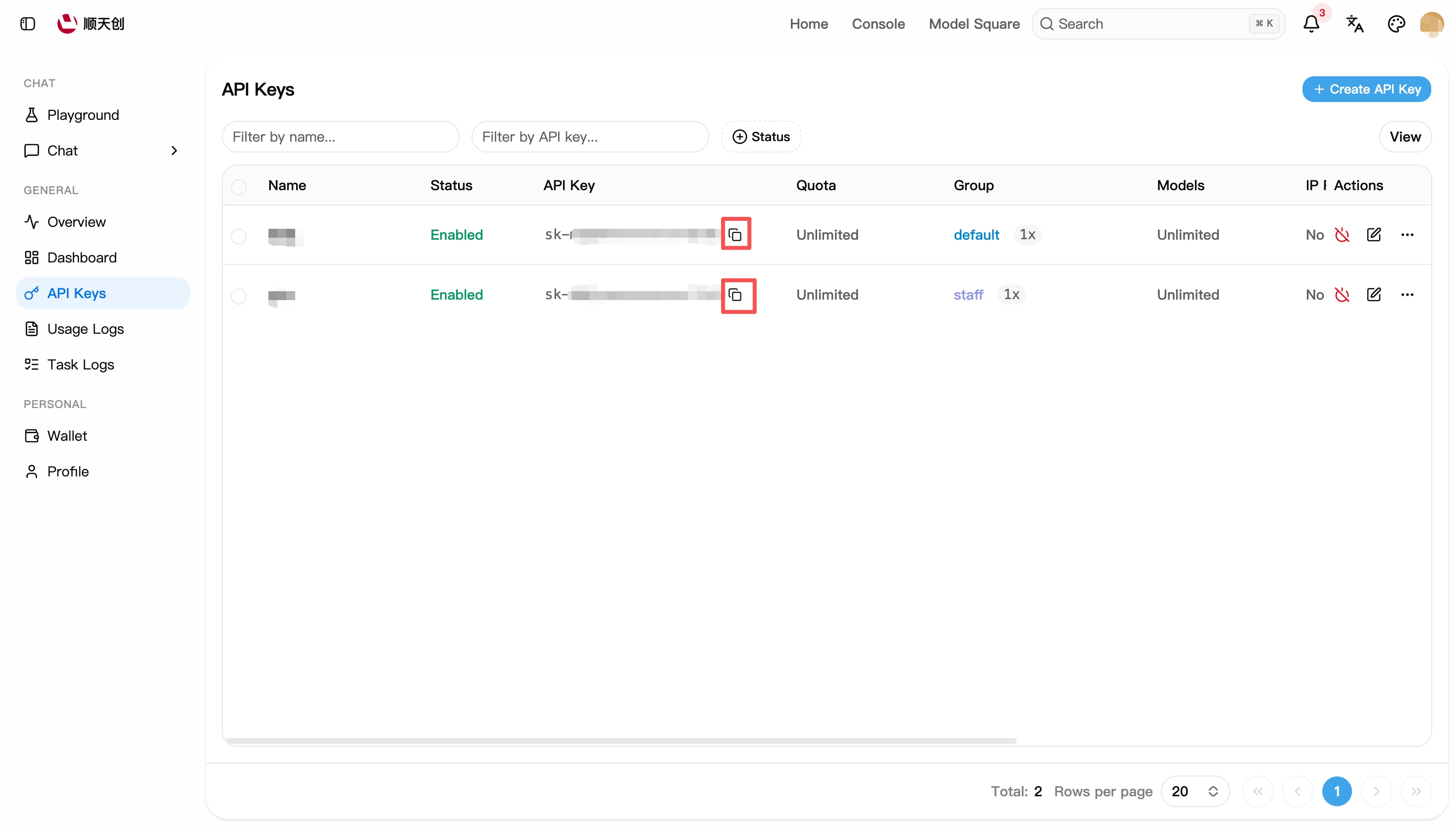
For security, keys in the list are shown masked like sk-Ab3d**********Xy9z. Click a key to copy its full value — save it somewhere safe right after creation.
Parameter Reference
The site's note on "IP Allowlist": do not over-trust this feature — IPs can be spoofed. Use it together with gateways such as nginx and CDN.
Managing Existing Keys
The key list supports the following actions:
List field meanings: Status (enabled / disabled), Quota (remaining quota and amount used), Group, Models (restriction scope), IP restriction, Created at, Last used at, Expiry.
Token Security
An API Key is equivalent to your account password:
- Do not hard-code tokens in source code, commit them to Git repos, or ship them in front-end pages
- Do not expose full tokens in public (group chats, screenshots, blog posts)
- Inject them via environment variables, e.g.
export SHUNTIANCHUANG_API_KEY=sk-your-token - If you suspect a leak, immediately delete or disable the token on the API Keys page
Getting errors after creating a token? Start with Error Codes & Troubleshooting, or see the common failure causes at the end of Quick Start.